I recently had the chance to test out a set of Dexter Industries Thermal Sensors produced for the NXT.
For those that are not aware, Dexter Industries has entered the market of producing LEGO Mindstorms NXT-compatible sensors and has come up with some pretty cool ideas such as the dSwitch (allows you to switch in-home devices on/off using the NXT) and some cool new ideas such as solar charging for the NXT as well as a flex sensor (stay tuned for more on this).
Read More >>
We recently picked up one of those Aquasaurs kits for the kids – which lets you hatch and care for some neat little aquatic fish (or shrimp) that date back to pre-historic times. After reading the instructions we got everything set-up and all was good, until we read the part about the temp of the water needing to remain between 72 – 80F. Problem is, we tend to keep our house around 70ish, and during the day, we have our automatic thermostat drop the temp to more frigid temps (to conserve you know!).
We quickly realized that these things would likely not get past the larvae stage at those temps. For the first two days, we had the tank propped up on the stove under the halogen lights to keep the water warm. However, over time, they would heat the water too much and need to be monitored / turned off for periods of time. We needed to come up with a longer term solution.
One option would be to simply go out and drop $$ (insert cost here – I don’t know) on a aquarium heater – but that would be too easy. I’d rather take my $300+ extra NXT & temperature sensor and make them work for a bit. Now you ask yourself, how the heck would the NXT heat the water. Well, that’s where dSwitch from Dexter Industries comes in. Interestingly enough, the dSwitch did not come to me with the intent of using it to heat the Aquasaurs tank. It was more like irony and good timing that I just received the dSwitch and we got the Aquasaurs going.
Read More >>
Sometimes I build robots that attempt to solve real world challenges.
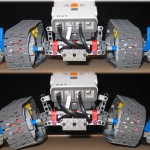
Other times, robots are built based on random ideas. This robot is a case of solving a LEGO challenge – specifically, with their Technic tracks/treads #575518. At no fault of theirs, these plastic tracks are slippery on many surfaces. Great for carpets, flat areas, dirt (if you dare) – and great for turning as well. However, when you try to climb with them, they are as slick as ice.

If you Google them, you will find some great ideas on making these treads more ’sticky’. Some have used 1/2 Technic pins (which fit nicely into the supplied holes), others have used elastics wrapped around them – all great ideas that work fine. I attacked the challenge from a different angle. The result is DG – or Dual Grip (yes, the name is somewhat plain). DG went through numerous revisions as I worked out kinks related to weight, stability, traction, sensors, flex etc. At the bottom I have included some pictures on previous versions of DG – some changes significant, others subtle.
The idea was to have a treaded robot that could navigate varying terrain, turn quickly and of course, climb. Based on my experience with my other robots using the same tracks (eg UNV and DynaTrax), I found that they were not very good when it came to inclines. I figured that the LEGO rubber wheels have great traction on most surfaces, so why not slap a set of them along with the treads. However, this posed another challenge. I did not want both wheel systems in contact with the ground at all times as this would make turning tougher and be redundant.
Read More >>
April 2007:

What better way to test a colour sensor then to create a brick sorting robot! After getting my hands on a HiTechnic colour sensor, I first took a stab at creating a robot that could navigate a room and detect colour. There was only one problem, it could not really do what I was hoping for. I was nieve in thinking that I could build this robot and it could detect colours from a distance. After reading the fine print on the provided documentation, I quickly realized that the colour sensor is only capable of reading colours at very close range (~ 1 cm). My bad. Of course, you could still build a robot that uses the ultrasonic or other sensor to get it close to objects, then read the colour… but that’s for another time.
BrickSorter uses this colour sensor to detect the colour of bricks and sort them into a variety of cups. The program is quite simple, gravity and studless beams allow for each brick to slide down the track on its own. when a brick is next, the colour sensor takes a reading (more on this later), the sort motor turns the sort rails to the correct cup, the sort rail motor changes its angle depending if the cup is close or far and finally the kicker motor kicks the brick in motion.
After a lot of fooling around with the cup placement (which seemed to be the hardest part of this project!), I managed to get the sorting pretty much bang on. Of course, the video shows some goofs, but that is mostly due to the small sized cups (its all I had!)… Anyway, I found the sensor to be accurate most of the time, but ambient light still influenced the readings at times and caused for the odd random missorting of a brick. I had to shoot the video about 10 times to get cup placement and sorting goofs worked out.
Read More >>
April 2007:
Your first question is probably “what does UNV stand for?”. Well, its nothing special – I simply could not come up with a name for it, so what better way to tag it then simply unnamed vehicle. After receiving a bunch of the new tread links, I wanted to create something grand with them. Scouting the web, I came across these multi-purpose robots (see below) that can be outfitted for police / bomb squad use, or for scientific work. Thought they looked pretty cool, so they were the inspiration. UNV was sitting around for months before I finally got around to taking pictures and a video of it. Read on for details…


Read More >>
Jan 2008:
WifiCamBot was one of my adventures in building a robot that could be remotely driven around while transmitting video via a live feed through an IP-based network camera wirelessly.

The idea came from my wanting to do something simple. Survey underneath my deck to see what sort of critters etc were making a home there. The deck was high enough for a rover-like vehicle to fit and drive around. I did not want to have wires tethered to the system, so I used a Panasonic BL-C30 WiFi camera with a built-in webservr to transmit live video via the web.
In this case, I have a webserver where I created a subdomain specifically for the camera to broadcast its info to. Loaded the Java components to receive the streaming video and render it on the site. The site also allows for remote control of the camera via WiFi. So, the entire robot, power and electronics are all onboard. There were a few challenges with this approach. 1) Power – The Wifi camera required 12 volts dedicated power. I did this by wiring 2 battery packs together in series (required a custom modified motor wire). This also added a fair bit of weight to the robot. In total there are 2 battery packs for the WifiCam and 1 for the PowerFunctions motors. That is 18 AA batteries. No worries though – the PF motors still have lots of torque.
Read More >>
December 2006:
Sometimes my robot building ideas are spurred by nothing more than wanting to make use of one or more cool items that I get from time-to-time. In this case it’s two – tread tracks that can be had if you own the Technic Snowmobile (8272) and a TechnoStuff Tilt/Accel Sensor.
I was fortunate to have received a huge bag (a few hundred segments along with wheels) of the new tread tracks a while back and begun playing with them to see how they compare to their smaller black Technic counterparts. In a nutshell, I like these ones better as they are larger (more suited to the size of robots and Technic creations I build) and stronger – they dont come apart as easy. They also have pin holes in them to boot, so the sky is the limit for making large tracked vehicles.
Read More >>
Feb 2007:
CT1 was a quick build to test the HiTechnic Colour sensor that I recently received. Being the type that does not read the fine print that often, I had it in my mind that I would build
a robot that could navigate around and rhyme off colours of objects that it “saw”. It was not until I tested it that objects have to be within 10mm distance to get any sort of decent reading as to its colour. So, intead I ended up with a fast agile little bot and decided to take some pics of the platform. At the least I found yet another way of building a micro drive platform for a small robot…
Read More >>
This page is dedicated to the further enhancements that I have done to DominoBotNXT. For more info on the original DominoBotNXT, have a look here. 
One of the drawbacks of the original was that due to the 3 motor limit, it had to backup to properly place dominos. This was because the domino-placing component was tied directly to the drive wheels. So, as it drove forward, a domino would make its way to being placed in the holder mechanism. Doing this caused the robot to move forward approx. 4 inches. Since this is too far for domino’s to actually cause any chain reaction, the robot had to move each newly placed domino back to be within 1″ of the last placed one.
Read More >>
Sept. 06:
Pete @ Techno-Stuff has just sent me another new sensor from Techno-Stuff. This time it’s a Accelleration / Tilt sensor. Instead of going into great detail on how it works, I will quote from his site:
“ The Accel Sensor lets your robot measure it’s acceleration. The sensor can also be used to measure tilt. This is a two channel device that lets you measure acceleration or tilt along two perpendicular axis. Accelerat
ion is a change in speed. When you push the gas pedal of a car, and the car speeds up, this is acceleration. The Dual Acceleration/Tilt Sensor (Accel) measures acceleration by it’s effect on a small mass. The sensing mass is also affected by gravity. Because of this, the sensor can be used to measure gravity. Gravity is constant, and points straight down. Since the Accel sensor can measure gravity, you can use it as a tilt sensor. The sensor is most sensitive to tilt when it is mounted so the sensing channels are perpendicular to gravity. (the electrical connector is horizontal) When mounted this way, the light sensor value will be 50, indicating zero acceleration. The value will increase or decrease depending on the direction of tilt. “
So, to put the sensor to the test, I thought what better way to do this than to use my NXT kit.
Read More >>