Nissan Juke – Interior LED Illumination – Rear Passenger Light

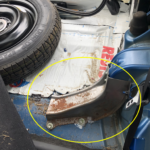
I just finished adding LEDs to the tail lights, and now its time to move on to the interior. For those of you who have a Juke, you can sympathize with me on this – the Juke is a great vehicle, but it is lacking in some very basic necessities (e.g. armrest, removable cup holders, and… a rear passenger light!). This has been further compounded by the fact that I have 2 children in child seats that can’t quite do up their own seat belts yet. …and the seat buckles are buried flush with the seats! (NISSAN!) …and I can’t see squat! Here is my solution to the problem:

LED Rear Passenger Light

Read More >>

Nissan Juke – Custom LED Tail Lights

I’m a sucker for not conforming to status quo when it comes to my toys.. This includes my new Nissan (2012) Juke. In this mod, I added a set of LED light strips to the tail lights with a twist – I wanted to also monitor and react to braking to enhance the effect. I decided to go with an ATTiny85 using the Arduino core. It only needed 1 input from the 12V brake power and 1 PWM output to control a MOSFET which in turn powered the LED light strip @ 12V. I built one controller per tail light. Check out the video to see it in action:


Read More >>

Dual LED Desk Light Controller – Arduino

Main Board

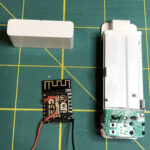
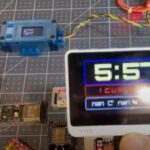
I’ve been involved in microcontrollers for some time – but of the LEGO Mindstorms flavour (and BASIC Stamp to a lesser extent). Lately, I’ve jumped on the Arduino bandwagon. I’ve always had the natural nack to fix pretty much anything that has batteries or a plug running out of it.  As the Arduino revolution has picked up dramatically over the past few years, so to has my desire to do DIY projects around the house. At some point in the future, we plan a kitchen reno.  Part of that reno will the addition of under-cabinet LED lighting.    Since that is far off, but I also had the need for better lighting in my office, I figured this would be a great time to proto something for the kitchen upgrade, while making something functional for the office. So, here it is..


Read More >>

Pulito – Featuring DFlex

Over the summer we installed hardwood flooring – which needs constant sweeping and cleaning .    What to do…  What to do…  Well, most of us would just sweep it, right?  Some of us might even go buy a Roomba.  But, then again, some of us build something to do it for them.  Why?  Because we can…

Pulito (Italian for ‘clean’) is simply put, a sweeper robot. Much like a Swiffer and Roomba combined.  The intent was to build a robot that could navigate around sweeping hard surface floors, stay away from carpeted areas,  make its way under our couches and seek out a docking station when the battery runs low.


Read More >>

Pulito – Beacon (Version 1) Internals


Charging Beacon


Charging Beacon


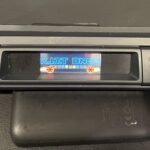
OLD Version Details:  (see new version here): The following is a picture of the charging beacon.  Although it looks quite plain from the outside, it is what is inside that resulted in this being a 5 month build (well that and things like kids! :-)  )  From the top there is a cutout for the LCD.  The purpose of the LCD is to display the change from 1200 to 600 Hz. The gray axle on top is used to swap between frequencies.  These frequencies are tuned to work with the HT IR Seeker V2 sensor on Pulito.  Together they allow Pulito to detect the beacon from across the room in many varying conditions (incl bright sunlinght).  As many of you know, IR is everywhere, so the 1200Hz is used to allow robots to tune into a specific frequency while ignoring other sources of IR.  At the front, the 2 charge bars can be seen.  These allow Pulito to dock to the unit and begin charging.  At the center in the front, the blue cylinder contains 3 IR LEDs.  These LEDs are connected internally to a Basic Stamp II Sx which drives a 1200/600 Hz pulse through a separate 555 timer that generates a 38Khz carrier wave.  Together the 1200Hz and 38KHz carrier allow the HT IR Seeker V2 to find the beacon.

Read More >>

Old School Touch Sensor Multiplexing on the NXT

I find that I am often using this approach for getting more touch sensors on my NXT without using multiple ports.  So, for the sake of prosperity, I wanted to keep a record of the setup.

If you are have a set of Cybermaster Touch Sensors hanging around, you can multiplex them for use on the NXT.   Years ago, these sensors were quite rare, but now they can be readily found on Bricklink for a decent price.  For those that are unaware of these sensors, they are the trans-green (clear) touch sensors that come with the Cybermaster kit and look similar to the standard MINDSTORMS RIS ones, but with one significant difference – each of them have an inline resistor so that when the circut is closed, each passes  current with a different resistance.  In addition to this, the value returned varies depending on which combination of sensors is pressed.  So, not only can you detect individual sensors, you can also detect states of multiple sensors being pressed.    If my memory serves correct, you can detect 6 sensor states (1, 2 or 3 | 1 and 2 | 2 and 3|  1 and 3 )

You can program these sensors easily by setting them up as temp sensors using RAW values. You will get values between  0 – 1023.  You can also code in such a way that you are looking for specific values (eg 655), as when a sensor is pressed, the resistance returns an exact value (it does not float between a number range).  Also dont forget that you will need an NXT to RCX converter cable.


Cybermaster Touch Sensor Multiplexer


Sample RobotC program:


#pragma config(Sensor, S2,     multiTouch,          sensorLightInactive)
task main()
{
while(true){
nxtDisplayTextLine(1, “Val: %d “,SensorRaw(multiTouch) );
wait1Msec(20); //give the CPU a break.
eraseDisplay();
}
}

Sample NXT-g program:
NXT-g Cybermaster Touch Sensor Multiplexer

Review – Dexter Industries – DI Thermal Series Sensor Roundup (Updated)


I recently had the chance to test out a set of Dexter Industries Thermal Sensors produced for the NXT. For those that are not aware, Dexter Industries has entered the market of producing LEGO Mindstorms NXT-compatible sensors and has come up with some pretty cool ideas such as the dSwitch (allows you to switch in-home devices on/off using the NXT) and some cool new ideas such as solar charging for the NXT as well as a flex sensor (stay tuned for more on this).

Read More >>

dSwitch Aquasaurs Temp Monitor

We recently picked up one of those Aquasaurs kits for the kids – which lets you hatch and care for some neat little aquatic fish (or shrimp) that date back to pre-historic times.   After reading the instructions we got everything set-up and all was good,  until we read the part about the temp of the water needing to remain between 72 – 80F.   Problem is, we tend to keep our house around 70ish, and during the day, we have our automatic thermostat drop the temp to more frigid temps (to conserve you know!).  We quickly realized that these things would likely not get past the larvae stage at those temps.  For the first two days, we had the tank propped up on the stove under the halogen lights to keep the water warm. However, over time, they would heat the water too much and need to be monitored / turned off for periods of time.  We needed to come up with a longer term solution.

One option would be to simply go out and drop $$ (insert cost here – I don’t know) on a aquarium heater – but that would be too easy.  I’d rather take my $300+ extra NXT & temperature sensor and make them work for a bit.    Now you ask yourself, how the heck would the NXT heat the water.  Well, that’s where dSwitch from Dexter Industries comes in. Interestingly enough, the dSwitch did not come to me with the intent of using it to heat the Aquasaurs tank. It was more like irony and good timing that I just received the dSwitch and we got the Aquasaurs going.

Read More >>

DualGrip-NXT Rover

Sometimes I build robots that attempt to solve real world challenges.  Other times, robots are built based on random ideas. This robot is a case of solving a LEGO challenge – specifically, with their Technic tracks/treads #575518.  At no fault of theirs, these plastic tracks are slippery on many surfaces.  Great for carpets, flat areas, dirt (if you dare) – and great for turning as well.  However, when you try to climb with them, they are as slick as ice.


If you Google them, you will find some great ideas on making these treads more ‘sticky’.  Some have used 1/2 Technic pins (which fit nicely into the supplied holes), others have used elastics wrapped around them – all great ideas that work fine.  I attacked the challenge from a different angle.  The result is DG – or Dual Grip (yes, the name is somewhat plain).  DG went through numerous revisions as I worked out kinks related to weight, stability, traction, sensors, flex etc.  At the bottom I have included some pictures on previous versions of DG – some changes significant, others subtle.


The idea was to have a treaded robot that could navigate varying terrain, turn quickly and of course, climb.  Based on my experience with my other robots using the same tracks (eg UNV and DynaTrax), I found that they were not very good when it came to inclines.  I figured that the LEGO rubber wheels have great traction on most surfaces, so why not slap a set of them along with the treads.  However, this posed another challenge.  I did not want both wheel systems in contact with the ground at all times as this would make turning tougher and be redundant.

Read More >>

Fun with PHP, MySQL on Windows 2000 Advanced Server

I recently decided that it is about time to replace my old P4 server in the interest of speed, space and power reductions. Even with a P4, this sever is heavily underused.  My choice was a mini-ITX form factor system running the Intel Atom N330 Dual Core processor.  Although there is little improvement over CPU speed, I also migrated to an OCZ Indilinx SSD.  That’s a little background for you.  Now, my existing machine is my web/db server and is running Windows 2000 (yes, I realize its a 10yr old OS, but its working just fine for my purposes), SQL Server, MySQL, IIS5 and PHP.

Read More >>

Follow

Get every new post on this blog delivered to your Inbox.

Join other followers: